
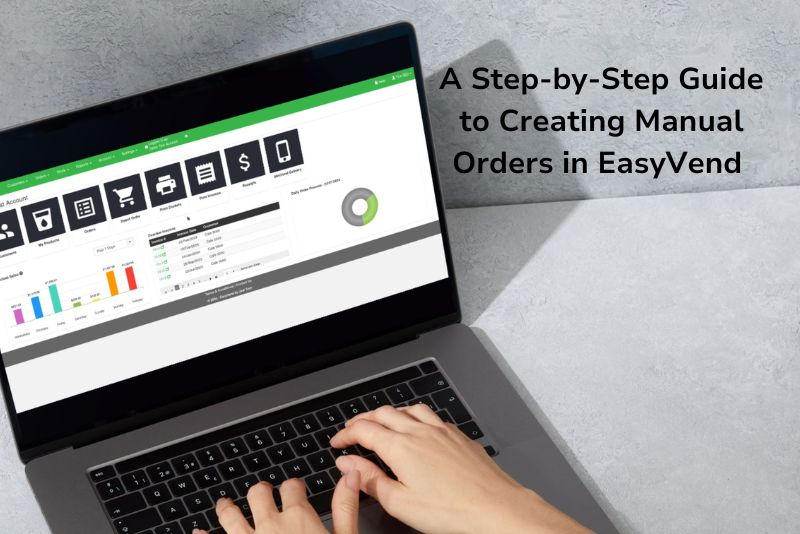
For many businesses, customer orders come in various forms—emails, text messages, or phone calls—throughout the workday. Knowing how to efficiently input these orders into EasyVend ensures your day-to-day processes remain seamless and organized.
Take a look at the guide below for precise directions on creating manual orders in EasyVend. Prefer a visual walkthrough? Click here to watch our video guide.
Step 1: Access the Order Screen
- From the EasyVend Dashboard, click Orders to open the order screen.
- If you are not on the dashboard, navigate to Orders in the main menu and select My Orders.
Step 2: Start a New Order
- On the order screen, click Create New to open a blank order form.
- Fill in the following details:
- Delivery Date: Set the date for the order.
- Customer: Search for and select the customer placing the order.
Step 3: Add Order Information
- If a Purchase Order (PO) Number is required, enter it in the Customer PO field.
- Review the Product List:
- If the customer has saved standard products, they will automatically appear.
- For preset quantities tied to the selected delivery day, these will also populate.
- Add any additional products manually and specify their quantities as needed.
Step 4: Save and Complete the Order
- Once all details are entered, click Save Changes.
- The order status will update to Ordered.
- Review the Product List:
- Use Next Customer to switch to the next profile.
- Alternatively, use Search Customer to locate another profile manually.
Why EasyVend Is One of the Best Order Management Software Options for Manual Orders
Customer orders don’t always arrive neatly through an online system. Many food and beverage businesses still receive orders by phone, email, or text throughout the day. If those orders aren’t recorded properly, mistakes happen. Products get missed, and invoicing becomes messy.
This is where having the best order management software makes a real difference. EasyVend gives you a simple, structured way to capture manual orders without disrupting your workflow. Everything stays organised and easy to manage, no matter how the order comes in.
Manual ordering shouldn’t feel like extra work. With the right order management system software, your team can enter orders quickly and ensure nothing slips through the cracks.
How EasyVend Simplifies the Order Management Process
EasyVend is designed for busy teams who need speed and clarity. Creating a manual order takes just a few steps, and the system guides you through the process clearly. From selecting a customer to setting delivery dates and adding products, everything happens in one place.
Because EasyVend understands customer buying patterns, it can automatically load saved products and preset quantities. This saves time and reduces data entry errors, especially for repeat customers. It also helps new staff follow the same process every time, which keeps operations consistent.
This structured approach shows exactly how an order management system works in a real-world distribution environment. Orders move from entry to delivery to invoicing without duplication or confusion. Whether you’re handling ten orders a day or hundreds, the process stays smooth.
For businesses managing deliveries, routes, and recurring customers, EasyVend also supports work order management software functionality. This ensures orders are aligned with delivery schedules and operational tasks.
Need Help?
If you have any questions or run into issues, EasyVend support is here to help. Contact us at 02 9188 4470 or email support@jealtech.com.au
Book a Trial EasyVend or Trial EasyVend today!
FAQs
What is a manual order in EasyVend?
A manual order is an order entered directly into EasyVend when a customer places it via phone, email, or text rather than through the online ordering portal.
EasyVend automatically load products for repeat customers?
EasyVend remembers commonly ordered products and preset quantities and makes repeat orders faster and more accurate.
Why is it important to record manual orders in EasyVend?
Recording manual orders ensures accurate stock levels, correct deliveries, and seamless invoicing. It also gives you full visibility across your operations.
How can I edit or update a manual order after saving it?
Orders can be easily edited before delivery. You can adjust products or customer details directly within the system.
Does EasyVend support both manual and online customer orders?
EasyVend handles both manual orders and online orders on one platform. It gives you a complete view of your business through a single order management software solution.
How does an order management system work?
An order management system captures customer orders in one central place and guides them through each stage from order entry to delivery and invoicing. It automatically updates stock levels, links orders to customers and delivery schedules, and keeps all information accurate and accessible.