
Running a packaging business means managing a wide range of products, from custom cartons and mailers to stretch film and strapping. As order volumes grow, handling all those product details manually can quickly lead to errors and delays. In fact, industry research suggests manual data entry carries an error rate of roughly 1% to 4%.
For a growing packaging supplier, even a small error rate can lead to costly mistakes over time. Switching to dedicated order management software is the most effective way to protect your bottom line.
This guide breaks down how purpose-built packaging order management software helps fix everyday operational headaches, which features actually make a difference, and how to choose a platform that fits your team.
Key Takeaways
- Order management software brings orders from different sales channels into one dashboard, making them easier for your team to manage.
- Not all order software is built with packaging businesses in mind, so look for features like online ordering portals, customer-specific pricing tiers, real-time inventory sync, driver-friendly digital tools, automated recurring orders, and accounting that syncs without manual work.
- Upgrading your order workflow frees your office staff from manual entry, packing errors drop, and your business can grow without things falling apart behind the scenes
- Choosing the right software starts with mapping your current process, separating must-have features from extras, and testing the platform with your own real-world packaging scenarios.
What Is Order Management Software for the Packaging Industry?
Order management software for packaging keeps customer orders and related information in one system. It can connect order entry with warehouse processing and delivery. It can also keep invoicing and payment records tied to the same order.
Packaging suppliers often need features that basic retail ordering systems may not provide. Depending on your products and customers, these features can include:
- Unit-of-measure conversions (like selling by the single box, bundle, or full pallet on the fly)
- Tiered volume discounts
- Custom-printed lines
- Automated standing drops for long-term commercial clients.
By giving your sales desk, warehouse crew, and delivery drivers access to the same live information, the software keeps everyone informed without constant back-and-forth phone calls or manual re-keying.
7 Essential Features to Look for in Packaging Order Management Software
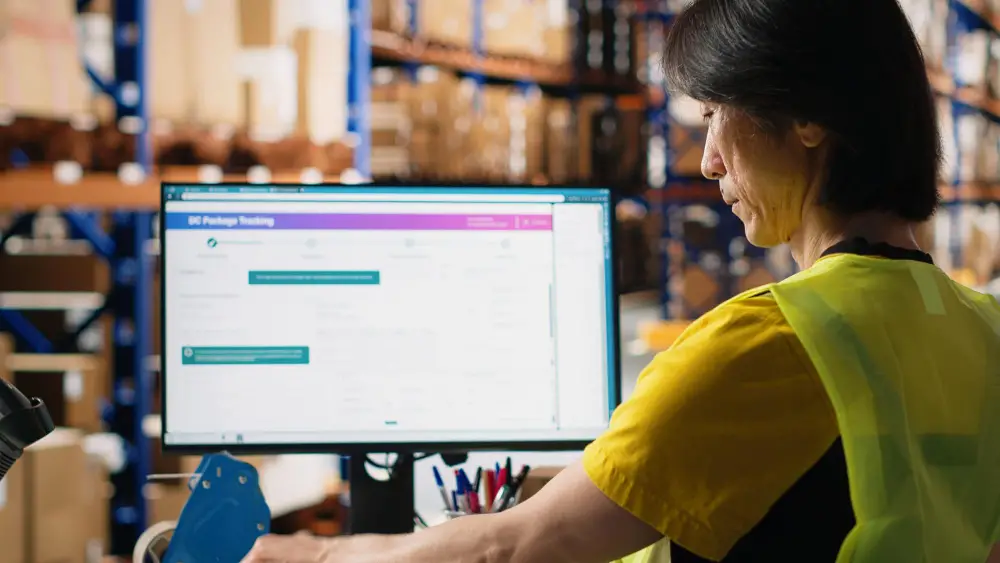
Your order management software for packaging must do more than just process basic invoices to keep your warehouse running smoothly and ensure your clients are supplied on time. Here are seven features your business shouldn’t compromise on:
- Centralised Multichannel Order Management
If your team spends half of their morning typing orders from emails, text messages, and scribbled notepad entries into your accounting software, mistakes might happen.
A centralised system brings incoming orders into one place, making them easier for your team to review and process.
Your office team no longer has to chase loose paper, and warehouse workers receive accurate packing lists immediately.
- A Branded B2B Customer Ordering Portal
Business clients don’t want to call your office every time they need to restock everyday items. An online ordering portal is a fantastic feature that lets them:
- Log in whenever they want
- Check their agreed rates
- See live stock levels
- Place orders directly.
Customers get a convenient way to order, and your admin team gets hours of their day back.
- Product Variations and Custom Pricing
Pricing in packaging supply is rarely straightforward. You might sell the exact same cardboard box at four different prices depending on client volume, contract terms, or custom printing.
With dedicated product variation and custom pricing features, the system automatically remembers these rules. When a customer places an order, the system automatically applies their exact negotiated rate, so your team doesn’t have to double-check a master price sheet.
- Recurring and Standing Order Automation
Many packaging orders follow a regular schedule. For example, a business client may need a pallet of bubble wrap delivered every fortnight.
With recurring-order functionality, regular customer orders can be generated according to an agreed schedule. Your team only needs to step in when the customer changes or pauses an order.
- Real-Time Stock and Inventory Tracking
Selling stock you don’t actually have in the warehouse is a fast way to annoy good clients. The live inventory tracking feature updates your counts in real time across all sales channels.
The moment an order comes in, or a driver drops off a load, your inventory adjusts automatically. Updated stock information helps your team spot low inventory earlier and make better-informed reordering decisions.
- Driver Tools and Mobile Route Management
Paper delivery sheets fail the second a driver hits heavy traffic or a client makes a last-minute request. A mobile route management feature solves these problems by connecting your dispatch board directly to a digital app on your drivers’ phones.
Drivers receive route updates as soon as changes are made. They can also collect proof-of-delivery signatures and record returns before leaving the site. That means your office knows what’s happening in real time without chasing anyone down for a phone update.
- Automated Invoicing and Payment Collection
Another key feature worth having is automated invoicing and payment collection. Once a delivery is completed, the order can move into the invoicing and payment workflow without staff having to re-enter the delivery details. Integration with Xero or MYOB also helps keep order and accounting records connected.
Benefits of Order Management Software for Packaging Suppliers
Upgrading your order workflow makes a noticeable, practical difference across your whole operation. Here is what changes when you drop manual spreadsheets and paper systems:
Less Time Spent Typing Orders
When your admin staff isn’t stuck typing details from paper slips into your computer systems, they get hours back every day. They can focus on helping customers, chasing new commercial accounts, and keeping operations running smoothly.
A Simpler Experience for Buyers
Modern B2B clients appreciate fast, hassle-free service. Giving them a simple online ordering tool and automated delivery updates makes buying from you effortless. Satisfied clients stay around longer and are far less likely to shop around with competing distributors.
Better Stock Control Across the Warehouse
Live stock counts tell your sales team exactly what is ready to ship today and help your purchasing team order the right amount of stock without tying up cash in dead stock.
Connected Office and Delivery Records
With order management software, you don’t have to wait for drivers to bring back a clipboard full of signed dockets at 5 PM. Your admin team can see delivery statuses in real time and answer customer tracking questions instantly.
Room to Grow Without Extra Paperwork
Normally, taking on more orders means hiring extra admin staff just to handle the heavy influx of paperwork.
Automating repetitive order tasks can help your existing team handle higher order volumes without increasing administrative work at the same rate.
How to Choose the Best Order Management Software for Your Packaging Business

Finding the right software isn’t just about picking the option with the most features. It’s about finding a platform that actually fits how your team works on the warehouse floor.
Follow these practical steps to select the best order management software for the packaging industry:
Map Out Your Current Process
It helps to sit down with your team and trace an order’s full journey from the moment a customer contacts you to warehouse picking, dispatch, delivery, and final payment.
Noting down every instance of delays, double-handling, or entry errors makes it easy to see exactly what your new system needs to fix.
Separate Must-Have Features from Extras
It is easy to get distracted by flashy software features you will never actually use.
It helps to divide your list into essential “Must-Haves” (like the ones above) and secondary “Nice-to-Haves” (like complex reporting modules) to narrow down the field. Prioritising platforms that handle your key daily tasks exceptionally well guarantees better results.
Check How It Connects to Your Existing Tools
Your new system shouldn’t force you to rewrite how your business operates. Make sure it connects smoothly with your current accounting tools (such as Xero, MYOB, or QuickBooks) and your payment gateways. Native integrations can reduce the need for custom development and repeated data entry between systems.
Ask About Onboarding, Training, and Setup
Software only works well if your team feels comfortable using it. You can ask providers how they help you migrate customer accounts, product catalogues, and custom price lists over.
It also helps to know what direct, hands-on training they offer your office staff and drivers before launch day so that everyone feels confident from day one.
Test Their Customer Support First
If a dispatch issue happens early in the morning while trucks are loading, you need quick answers. Knowing where a provider’s support team is based and what their response times are helps you feel more confident.
Get Clear on Total Costs
Make sure you understand the true cost of ownership before signing anything. A transparent quote should clearly break down:
- Upfront setup fees
- Monthly user license costs
- Optional add-on modules
- Payment processing charges
Test the Software with Your Own Scenarios
Generic sales demos rarely show how a system handles your business’s real-world complexity. You get a much clearer picture by asking the vendor for a live walk-through using your actual day-to-day orders.
Watch how the platform handles real-world scenarios, such as a client ordering 50 bundles of custom cartons with tiered pricing, a standing drop schedule, and automatic invoice sync to Xero. This insight gives you absolute confidence in how it will perform on the job.
If you want to evaluate different software side-by-side, our guide on top order management software in Australia breaks down key features, pros, and pricing across leading platforms.
Final Words
Improving order management in your packaging business isn’t about working longer hours or adding more staff to manual tasks. It’s about using the right digital tools, so there’s no friction between taking an order and actually getting paid for it
When you centralise your order intake, give buyers convenient online ordering tools, automate standing schedules, and equip your drivers with live mobile apps, your operations run smoother, and your business can scale cleanly.
If you are ready to drop the paperwork and make order management easy, EasyVend is a B2B order management platform for distributors, including packaging suppliers. It connects ordering, delivery, invoicing, and payment workflows in one system.
Book a free demo to see how its ordering, inventory, delivery, invoicing, and payment tools would actually fit into your existing operations.
Frequently Asked Questions
Can order management software work for fresh-produce wholesalers, too?
Yes, distribution platforms like EasyVend can handle fresh produce without an issue. They come with tools built specifically for variable day-to-day market pricing, catch weights, batch tracking, and managing perishable stock alongside regular order automation.
How long does it take to set up order management software?
It comes down to how large your operation is and how much data you are moving over. Dedicated wholesale platforms like EasyVend usually take just a few weeks to roll out. Complex enterprise ERPs, on the other hand, often take several months of setup and staff training.
Can the software handle different item sizes and custom pricing?
Yes, systems designed for wholesale distribution are built to handle detailed catalogues. They can convert between units of measure on the fly and apply each buyer’s agreed contract rates automatically at checkout.