
Delivery disputes can cost distributors time and money while putting customer relationships under pressure. When a customer reports missing stock but your delivery driver says the full order was delivered, paper records often leave you without proof of what the actual issue is.
Proof of delivery software solves this by creating a reliable digital record at the point of delivery. Through our MiniVend mobile driver app, EasyVend helps distributors across Australia capture this information digitally.
In this guide, we’ll explain how proof of delivery software can reduce disputes and give everyone involved a clearer picture of each delivery.
Quick Overview
Digital proof of delivery software reduces customer arguments by instantly recording signatures, drop-off photos, and order changes at the dock. Instead of waiting for paper dockets at the end of the day, distributors can get instant proof the moment a delivery is done, ending guesswork before invoices go out.
What Is Proof of Delivery Software?
Proof of delivery software lets drivers electronically record delivery information instead of relying only on paper dockets. Drivers do not have to rely solely on physical paper dockets on a clipboard; they can use an app on a phone or tablet to manage each delivery on their route.
So, when your driver arrives at a venue, the app displays order details they need for the delivery. They can:
- Collect an electronic signature
- Capture photos of left-at-door stock
- Adjust item quantities on the spot if something is missing or damaged.
This data automatically syncs with your central management system and creates a digital record of every completed delivery.
For a broader look at streamlining your logistics, check out our complete guide to food delivery management systems.
Paper vs. Digital Proof of Delivery
Both paper dockets and digital apps can confirm a completed delivery, but they offer very different levels of detail when a dispute arises. The table below shows how the two approaches compare in day-to-day operations.
| Area | Paper Proof of Delivery | Digital Proof of Delivery |
| Delivery confirmation | Signed paper docket | Electronic delivery record |
| Customer signature | Captured on paper | Captured digitally |
| Delivery photos | Usually separate | Can be linked to the delivery |
| Delivered quantities | Written or amended manually | Recorded digitally |
| Delivery notes | Handwritten | Stored with the delivery record |
| Office access | Usually after paperwork returns | Available digitally |
| Record keeping | Physical filing | Centralised digital records |
| Dispute review | Search through paperwork | Review the relevant delivery record |
Why Delivery Disputes Happen in Distribution
Delivery disputes often stem from gaps in how deliveries are recorded and confirmed. Let’s take a look at the common reasons these disputes happen in distribution.
- Customer Says the Order Never Arrived
You might have a kitchen team insisting they never saw the delivery truck pull up. Meanwhile, your driver claims he dropped the crates near the back door around 5:00 AM before anyone was awake. Unfortunately, you have no proof to confirm the delivery.
- Delivered Quantity Does Not Match the Order
Receiving an invoice for twenty cartons when the head chef only remembers unloading fifteen off the ramp instantly sparks a dispute. Without a verified count at the door, neither side can prove their number.
- Goods Are Reported Missing or Damaged
When crushed boxes or temperature-sensitive goods sit near a sunlit entrance for hours, venue staff often notice the problem long after your truck has cleared the dock, making it hard to pinpoint where the damage actually happened.
- Paper Dockets Are Lost or Difficult to Read
Relying on scribbled pen updates and misplaced receipts forces your accounts team to guess what actually happened out on the road. Beyond sparking arguments at the dock, manual order processes add hidden costs that slowly erode your margins.
- Delivery Instructions or Changes Are Not Properly Recorded
Verbal requests like “drop everything by the side door today” may never make it back to the office and can create avoidable confusion between drivers, office staff, and customers.
How Proof of Delivery Software Helps Reduce Delivery Disputes
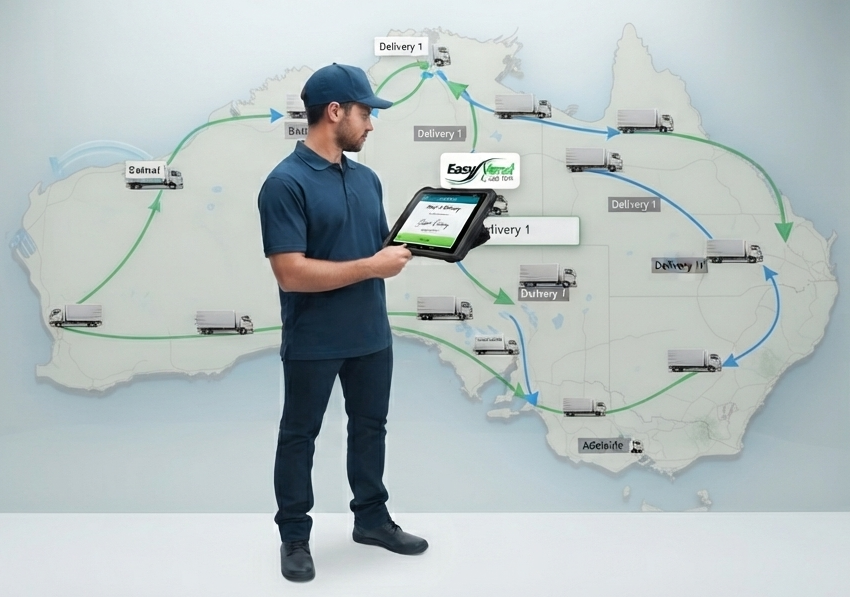
Switching away from paper clipboards to modern delivery tools changes the entire dynamic when a customer calls with a complaint.
Here is how proof of delivery software can give your team clearer records when a delivery is questioned:
Capture a Customer Signature at Delivery
Proof of delivery software lets distributors collect a customer’s signature as soon as an order is handed over. The signature is saved with the delivery record, along with details showing when and where the delivery was completed.
Say a buyer calls your distribution business insisting their morning order never arrived. Instead of putting them on hold while someone tracks down the driver, your admin team can open the delivery record while still on the phone.
They can check the customer’s signature against the order and use it to clarify what happened. This gives both sides something more reliable to work from than memory or a missing paper docket.
Keep Photo Evidence With the Delivery Record
Drivers can take a photo at the drop-off point to give distributors a visual record of what was delivered. This is particularly useful for unattended deliveries made before a venue opens.
For example, a driver might leave an order at 4:30 AM, only for venue staff to discover later that a box is missing. Without a photo, it can be difficult to establish whether the box was missing when the order arrived.
A delivery photo shows what was left at the drop-off point and stays attached to the delivery record. If the customer later reports missing stock, your team can refer to the image when working through the dispute.
Record the Quantities Actually Delivered
Drivers can record the exact quantity a customer receives directly in the proof of delivery app. This matters when part of an order cannot be delivered or accepted.
For example, an item might be damaged in transit, or a customer may not have room to accept the full quantity ordered. When drivers write these changes on paper dockets, the information can be missed when the order reaches your admin team.
Recording the change digitally gives your team a clear account of what was handed over. The correct quantity can then be used when preparing the invoice, reducing the chance of a billing dispute later.
Add Notes When Something Changes at the Drop
Drivers can add notes to the delivery record when a customer changes the usual drop-off instructions. This gives your distribution team a written record of what happened at the delivery location.
For example, a kitchen manager might ask the driver to leave stock in a different storage area because the usual space is unavailable. The driver can record that instruction in the app before completing the delivery.
If the buyer later calls asking where the stock was left, your admin team can check the note and give them a clear answer without having to track down the driver.
Give the Office Faster Driver Delivery Confirmation
Digital proof of delivery software gives distribution teams access to delivery confirmation soon after a driver completes a drop. With paper-based processes, staff may otherwise have to wait until the driver returns to the warehouse to find out what happened.
If a driver records a damaged box during a morning delivery, your dispatch team can see the issue without waiting until the end of the run. They can then decide how to resolve it while the delivery is still fresh.
Faster access to this information helps distributors respond to problems before they turn into prolonged customer disputes.
Keep Delivery Records Connected to Invoicing
Connecting proof of delivery records to invoicing helps distributors bill customers based on what was actually delivered. This is useful when the quantity handed over differs from the original order.
If a driver records a quantity change at the drop, your billing team can use that information when preparing the invoice. They do not have to rely on handwritten changes that may be difficult to read or reach them too late.
When a customer questions a charge, your team can also compare the invoice with the digital delivery record. This makes discrepancies easier to investigate and resolve.
Common Proof of Delivery Mistakes That Can Still Lead to Disputes
Proof of delivery software is only as reliable as the information your drivers record during each delivery. The following common mistakes can leave gaps in your delivery records and make disputes harder to resolve.
- Taking Delivery Photos That Do Not Clearly Show What Happened
A close-up of a single cardboard box doesn’t prove location. Drivers should step back so the photo captures both the delivered goods and an identifiable landmark, such as a door sign or dock entrance.
- Leaving Important Delivery Exceptions Out of the Notes
If a customer asks a driver to leave stock at a neighbouring venue, failing to log that note leaves your office without context if the owner queries the drop.
- Marking Orders as Delivered Before Reaching the Site
Drivers who mark orders as delivered while waiting in traffic distort time and location stamps. This can destroy the validity of your records if an issue occurs.
- Skipping Customer Signatures During Busy Rush Hours
Dropping stock and leaving without a sign-off to save time during a morning rush may leave your business vulnerable to claims of unfulfilled orders.
Conclusion
Running a wholesale distribution business is stressful if you have to deal with delivery arguments. Moving away from paper dockets to digital tracking protects your margins, speeds up cash flow, and maintains strong customer relationships based on trust.
When your drivers have clear, simple tools right in the palm of their hands, your whole warehouse runs smoother.
If you want to see how EasyVend and our driver app, MiniVend, can streamline your delivery runs, reach out to our team today for a quick chat.
FAQs
What happens if a customer disputes a delivery after signing for it?
You pull up the digital record in your system and share it with them. Because the record includes the exact timestamp, GPS location, signature, and any attached photos, you can review the facts together straight away to clear up the misunderstanding.
What if a driver loses phone signal during a delivery?
MiniVend Web requires an active internet connection. If a driver loses connectivity, they need to reconnect before continuing with the delivery. Businesses operating in areas with unreliable mobile coverage should discuss their delivery requirements with EasyVend before changing their current setup.
What details should be included in a driver delivery confirmation?
A complete confirmation should include the customer’s business name, date and time stamp, GPS drop location, electronic signature, and the printed name of the recipient. Any photo evidence, stock adjustments, or specific delivery notes should also be attached to the record.